Sunday, April 7, 2013

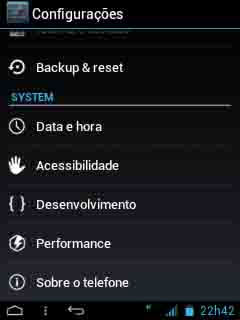
Hi friends as we know that galaxy y is one of the most popular low ended smartphone of galaxy series but will not be updated to jellybean but still we can achieve look an feel of latest version of Google's phone operating system Android jellybean on galaxy y by installing custom Rom. In our previous Article's we have provided some custom Rom installation instructions that may help you to achieve jellybean look on galaxy y and now today we have another custom rom that is a port of galaxy mini and based on CM7.2 ROMthat will help you to achieve jellybean look on galaxy y but as it is CM7 based Rom it has some bugs like Bluetooth etc.This ROM is shared on XDA duduaxe so if you like it don't forget to thanks him. So here are few screenshot of New Experience Jelly Bean Special Edition Rom running on Samsung Galaxy Y.

Screenshots:


Features:
Appearance, Graphics and Utilities:
  • Experience New Launcher (full modded Zeam Launcher)
  • ICS \ JB System Theme (in APK)
  • New Jelly Bean Statusbar (CM 10.0) with power widget under jb carrier, clock, date, settings and clear button, clickable notifications and closon
  • ICS Themed in-JB-Style Blue default lockscreens 7.2 cm
  • ICS JB-style Patterns.
  • Statusbar widget indicator color poer pressetted in ICS-JB Style (smali mod)
  • Atypic feedback in statusbar fixed
  • New Transitions style Bean Jelly)
  • Tablet Tweaks (softkey) enabled in the framework
  • Statusbar Clock Center (fixed black statusbar with active softkeys)
  • Full Roboto Font
  • New Resized Cyanogenmod 10 (Jelly Bean) Settings.apk
  • New Wallpaper Cyanogenmod (New Experience Wallpaper) Mix (Jelly Bean 4.1 and 4.2, Ics, HoneyComb and other)
  • Replaced 3D Gallery with QuickPic the user application
  • Camerasound on \ off by autoradio78 patch
  • Videosound on \ off by autoradio78 patch
  • Experience New bootanimation default logo and wallpaper
  • New tones from JB AOKP arrangement (only useful tones)
Performance:
  • ActivoSpeeder by F4uzan
  • HOT!: 90% graphic rendering with GPU
  • New build.prop tweaks
  • Dalvik Set at 24m to default
  • Compcache disabled
  • Dithering disabled
  • 16 bit enabled transparency
  • Scrolling cache disabled to default
  • HOT!! Sound xLOUD working with DPS Manager for perfect sound
  • BRAVIA Engine
  • Performance Kernel OC to 832 mhz
  • Ability to install unknown source applications at first boot
  • Debug usb notification removed from status bar
  • Airplane mode active by default after first boot (For Those without a date plan)
  • Pre-patched host file (ad-away) is in not have advertisement applications. 
Applications:
  • CM7 SMS / MMS App Improved (with bubbles) by lousou76 [fixed invisible recipients typing]
  • CyanMobile advanced Taskmanager
  • Build with latest Gapps in Google Play Store 3:10:14
  • Disabled Setup Wizard at first boot
  • Deleted Voice Dialer TTS
  • Deleted Pico TTS
  • Deleted and Theme Chooser Theme Provider
  • Deleted Update Notify CM
  • Deleted CM Stats
  • Deleted Protips
  • Deleted Genie Widget
  • Deleted LatinIME CM7 default keyboard
  • Hacker's Keyboard
  • S2E
  • CPU Temp widget
  • ICS SGSII digital clock widget style by autoradio78
  • File Manager
  • Timer and Stopwatch app Achep
  • Faster GPS
  • Battery Calibrator
  • Re-scan Media Root.
Warnings:
This Rom is only meant for Samsung galaxy y model gt-s5360. Use it at your own Risk we will not be held responsible for any damage happens your device. This information is provided only for instructional and educational purpose.
Requirements:
A rooted Samsung galaxy y with white kernel installed ( Here is how to install White kernel v1.3.3 on galaxy y )
Rom File(not mirrored): New Experience JB S5360.zip
Size:80.74 MB
Cwm:cwm.zip

Installation Instructions:
  • First of all backup your system and Charge battery full.
  • Flash white kernel
  • Download and place the cwm and Rom File in the root directory of yours phone sd card and turn off your phone.
  • Now reboot in Recovery mode by pressing Volume up + Menu + power button together.
  • When you enter recovery mode touchscreen will become function less so use volume up and down to move up and down menu as selection and power button as back.
  • Now from recovery mode menu select " Apply update from sdcard" and select clockworkmod recovery file "CWM.zip" after you enter CWM Recovery.
  • Then navigate to mounts and storage and mount system.
  • Do Wipe data/factory reset and wipe cache partition.
  • Then in recovery mode select Install zip From SDcard. 
  • Then select Choose Zip from SDCARD navigate to root directory and select the ROM file "New Experience JB S5360.zip" file then wait for the installation to be completed.
Congratulation! you have learn how to install New Experience Jelly Bean Special Edition Custom Rom on Samsung Galaxy Y S5360. In case you notice bug post on thread page so developer may fix it.
To receive latest update from us like our facebook page Techweem


Read More
Hi friends if you are running Hyperion 8 custom ROM on galaxy y the here is an update for you.This update is shared on XDA forum by Senior Member reyocio and known as Hyperion Plus. As we have already provided you an installation instruction on how to install Hyperion 8 Project 2013 Pre GM build custom ROM on galaxy y GT-s5360. So here is how to install Hyperion Plus Modded Settings and Apps for Hyperion 8 custom Rom on galaxy y. According to the developer of Hyperion 8 CarlDeanCatabay this update may be included in the final build of Hyperion 8 custom ROM. So if you like the work don't forget to thanks developer team. So lets have look on few screenshots and what is included in this pack ( by dev.) before proceeding to installation step.
Hyperion Plus

Screenshots:
Hyperion Plus Modded Settings and Apps for Hyperion 8 custom Rom for galaxy y
What is included in this pack:
  • Re-arange some app orders
  • Terminal emulator
  • Carrier name
  • Gallery lock
  • Updated cpu control
  • Benchmark
  • Sound Manager (The dev replace it for some reason! )
  • System replacer
  • Media scannerSystem Odexer
  • And some more.
Warnings:
This pack is only meant for Samsung galaxy y model gt-s5360 running on Hyperion 8 custom Rom . Use it at your own Risk we will not be held responsible for what ever happens to your device. The information provided here is only for instructional and educational purpose.


Requirements:
A rooted Samsung galaxy y model gt-s5360 running on Hyperion 8 custom Rom.
Cwm:cwm.zip
Update pack:(depending on A2SD)
Equalizer Fix: updateHP.zip

Installation instructions:

Installing Update pack:
  • First of all backup your system and Charge battery full.
  • Download and place cwm and Hyperion Plus pack file [A2SD or Non A2SD] in the root directory of yours phone sd card and turn off your phone.
  • Now reboot in Recovery mode by pressing Volume up + Menu + power button together.
  • When you enter recovery mode touchscreen will become function less so use volume up and down to move up and down menu as selection and power button as back.
  • Now from recovery mode menu select " Apply update from sdcard" and select clockworkmod recovery file "CWM.zip" after you enter CWM Recovery 
  • Now navigate to Mounts and Storage and Mount System if not mounted..
  • Then in recovery mode select Install zip From SDcard. 
  • Then select Choose Zip from SDCARD navigate to root directory and select the Hyperion Plus pack depending A2SD on then wait for the installation to be completed.
  • After installation completes reboot and enjoy Hyperion Plus.
Installing Equalizer fix:
  • Download and place Equalizer fix in the root directory of yours phone sd card and turn off your phone.
  • Reboot in CWM Recovery and flash "updateHP.zip".
  • Reboot normal.
Congratulation! you have learn how to install Hyperion Plus on Samsung Galaxy Y S5360. In case you notice bug post on thread page so developer may fix it.

To receive latest update from us like our facebook page Techweem
Read More

Saturday, April 6, 2013

Hi friends here today we are going to share with you an installation instruction GingerDX custom Rom on Samsung galaxy y. This custom Rom is based on CM7 so it contains the same bugs as in CM7 for galaxy y like bluetooth, heaset etc.So we can say that if you are daily user it is not recommended for you but if you are a flashholic and want to have new look on your phone you can try it out.This custom ROM is ported and shared on XDA by yash989 so if you like the work don't forget to thanks him and the team. So before moving to the installation steps of GingerDX Galaxy Ace ported Rom for galaxy y lets take look on features and screenshots(by dev.) of this rom running on galaxy y.

Screenshots:


Warnings:

This Rom is only meant for Samsung galaxy y model gt-s5360. Use it at your own Risk we will not be held responsible for any damage happens your device. This information is provided only for instructional and educational purpose.

Features:
  • Minimal number of apps are installed.
  • Lightweight.
  • ZIP-aligned, App2SD,
  • As smooth as doixanh's CM6 Froyo ROMs in 2D (menu scrolling/flinging...)
  • AChep's ICSandwich Theme included.
  • WEP AdHoc support
  • ClockworkMod recovery 5.0.2.8
  • CallMeLouder: Louder ringer when the phone is inside a bag or pocket.
  • Improved Flipping down mutes ringer
  • Flipping down snoozes alarm
  • Disable LED notification in night
  • Back button ends call
  • Built-in Transparent Status Bar support (multiple options)
  • Hide avatar in SMS
  • Quick Copy / Quick Paste
  • View.measure() method caching for improved 2D performance
  • Custom carrier text
  • Built-in loop ringtone support without OGG editing
  • Optimized ("smoothened") scrolling/flinging
  • Random Lockscreen
  • Sense Lockscreen
  • Smart dialer
  • Center clock on status bar option
  • Status bar battery indicator
  • BatteryBar in statusbar
  • Configuration section (with localization for many languages)
  • EduRoam WiFi compatible!
  • ICSified Settings by djnilse
Requirements:
A rooted Samsung galaxy y with white or hells fusion kernel installed ( Here is how to install White kernel v1.3.3 on galaxy y )
Rom File(not mirrored): GingerDx-gts5360-signed.zip
Size:74.72 MB

Installation Instructions:

  • First of all backup your system and Charge battery full.
  • Flash either hells fusion or white kernel
  • Download and place all the files cwm ,Rom and update Files in the root directory of yours phone sd card and turn off your phone.
  • Now reboot in Recovery mode by pressing Volume up + Menu + power button together.
  • When you enter recovery mode touchscreen will become function less so use volume up and down to move up and down menu as selection and power button as back.
  • Now from recovery mode menu select " Apply update from sdcard" and select clockworkmod recovery file "CWM.zip" after you enter CWM Recovery 
  • Then navigate to mounts and storage and mount system and format system
  • Do Wipe data/factory reset and wipe cache partition.
  • Then in recovery mode select Install zip From SDcard. 
  • Then select Choose Zip from SDCARD navigate to root directory and select the ROM file "GingerDx-gts5360-signed.zip" file then wait for the installation to be completed reboot normal you will see status bar.
  • Now again reboot in CWM Recovery mode and install the update file following the same procedure as provide above but this time you will have to select the update file that is "alliu(2).zip"
  • After installation completes choose advanced and then reboot recovery option this will reboot your phone back in stock recovery mode here do data wipe and cache and reboot.
Congratulation! you have learn how to install GingerDX Custom Rom on Samsung Galaxy Y S5360. In case you notice bug post on thread page so developer may fix it.
To receive latest update from us like our facebook page Techweem

Read More
Hi friends in our previous post we have provided you with an instructional guide on how to install Remix V2 S3 ROM on galaxy y. Now the developer Remix v2 Rom sohan rawat member of xda-developers has released updated version 2.1 with a few things improved and changed.Here are a few screenshots taken by the developer to see which apps have been changed.

Screenshots:
update released for Remix V2 s3 Rom for galaxy y [version 2.1]
 Remix V2 s3 Rom for galaxy y [version 2.1]

Warnings:
This update is only meant for Samsung galaxy y model gt-s5360 running on Remix v2 [s3] rom. Use it at your own Risk we will not be held responsible for any damage happens your device. This information is provided only for instructional and educational purpose.

Requirement:
A galaxy y model Gt-s5360 running on Remix V2 S3 ROM
Download Remix v2.1 : v2_update.zip
Size:4.27 MBCwm: cwm.zip

Installation instruction:
  • Reboot in Recovery mode by pressing Volume up + Menu + power button together.
  • When you enter recovery mode touchscreen will become function less so use volume up and down to move up and down menu as selection and power button as back.
  • Now from recovery mode menu select " Apply update from sdcard" and select clockworkmod recovery file "CWM.zip" after you enter CWM Recovery just mount /system in mounts and storage in not mounted.
  • Do Wipe data/factory reset and wipe cache partition.
  • Then in recovery mode select Install zip From SDcard. 
  • Then select Choose Zip from SDCARD navigate to root directory and select the update file " v2_update.zip " and wait for the installation to be completed.
That is all.
To receive latest update from us like our facebook page Techweem

Read More
Hi friends here we are going to provide you an installation instruction of CyanoCream v1 Custom ROM for galaxy y The rom is shared on xda forum by nsnikhil. So before procedding to the installation of CyanoCream v1 Rom on Samsung Galaxy Y lets have look on features and screenshot of this rom on galaxy y
CyanoCream v1 Rom for Samsung Galaxy Y gt-s5360

Screenshots:
  CyanoCream v1 Rom for Samsung Galaxy Y gt-s5360  
  CyanoCream v1 Rom for Samsung Galaxy Y gt-s5360  

Features:

UI Features:

  • Fast and smooth Jelly Bean Framework.
  • Lovely and sleek Jelly Bean Tabbed Settings.
  • Dark and Light Holo Themed File Manager.
  • Absolute Android 4.2 Status Bar.
  • Stylish Android 4.2 Icons.
  • Beautiful Android 4.2 Transition Animations.
  • Android 4.2 Desk Clock and Clock Widgets.
  • Lovely Android 4.2 Dialer with HD Caller screen Images support.
  • A great Android 4.2 Contacts with HD Contacts Images.
  • Android 4.2 Calender with Agenda options too.
  • Cool Android 4.2 Memo.
  • Awesome looking Android 4.2 FM Radio.
  • The fastest ICS themed Keyboard.
  • Excellent Power Saving Mode.
  • Fast and simple JB themed Camera.
  • Android 4.2 Play Store
  • Holo Light awesome Android 4.2 Messaging.
  • The unique Cream Launcher-The First Jelly Bean Launcher-on your phone now!
  • All Cyanogenmod 10.1 HD Wallpapers.
  • Jelly Bean Themed Calculator, Task Manager, Youtube, GMail and Email apps.
Tweaks:

  • Adrenaline Engine.
  • Loopy Smoothness.
  • SysInit.
  • Journaling.
  • Journalism Off.
  • Dis_Norm_Sleeper.
  • Sick.
  • Sqlite_Optimizer.
  • Bacem Tweak.
  • Darky Zipalign
  • 18 Local.prop Tweaks
  • 20 Build.prop Tweaks(Quick 3G, AdBlocker, Image Clarity Tweaks etc.)

Unique built-in 5 star Features:

  • CREAM LAUNCHER - The original Jelly Bean Launcher! Now on your ROM! With numerous customization and preferences settings!!Really! Who needs update?
  • PICTURE CLARITY - Sony Cybershot Mod and Mobile Bravia Engine 2.0-now view your images like never before!
  • OVERCLOCKED Kernel - ""bOOST"" The new Overclocked fastest kernel gives longest battery life,upto 10 bootup script for performance, decreased boot time improved multitasking
  • CyanogenMod 10 File Mnager - "CUT COPY PASTE " Manage files easier than before with cm10 file manager.
  • THE ANDROID 4.2: With CYANOCREAM, get the originality of Android 4.2 Jelly Bean on your phone. See your Little Young. It has-the unique Cream Launcher-a complete replica of the Jelly Bean Launcher, the JB Framework, the JB Settings, Task Manager, File Explorer and the Android 4.2 Status Bar, and lots more-get the taste of Jelly Bean in everything with Cream. 
  • THE BUTTERY-SMOOTH, ROCK-SOLID AND ION-STABLE UI: With CyanoCream, get your phone work on the smoothest framework ever. You get no lag, no Error. Young will really be young and run flawlessly. The silky smooth transitions and animation of apps-This indeed is something which will charm you!
  • TWEAKIES AND TWEAKIES! EVERYWHERE: Nemesis One features loads of tweaks to get the best out of your phone. There are as many as 50 build.prop and 15 init.d tweaks. Get the most renowned built-in Kernel tweaks with Nemesis Fusion. You get the greatest tweaks like Adrenaline-Engine, Sony Cybershot Mod, complete Kuro Tweaks, Built-in Adblockers etc. etc.
Warnings:
This Custom Rom is only meant for Samsung galaxy y model gt-s5360. Use it at your own Risk we will not be held responsible for any damage happens your device. This information is provided only for instructional and educational purpose.

Requirement:
A rooted galaxy y model Gt-s5360
Download CyanoCream v1 Rom : CC-V1 zip
Size:114.80 MB
Cwm: cwm.zip

Installation Instruction:
  • First of all backup your system and Charge battery full.
  • Download and place the cwm and Rom File "CC-V1 zip" in the root directory of yours phone sd card and turn off your phone.
  • Now reboot in Recovery mode by pressing Volume up + Menu + power button together.
  • When you enter recovery mode touchscreen will become function less so use volume up and down to move up and down menu as selection and power button as back.
  • Now from recovery mode menu select " Apply update from sdcard" and select clockworkmod recovery file "CWM.zip" after you enter CWM Recovery 
  • Do Wipe data/factory reset and wipe cache partition.
  • Then in recovery mode select Install zip From SDcard. 
  • Then select Choose Zip from SDCARD navigate to root directory and select the ROM file "CC-V1 zip " and wait for the installation to be completed.
  • After installation completes choose advanced and then reboot recovery option this will reboot your phone back in stock recovery mode here do data wipe and cache and reboot.
Congratulation! you have learn how to install CyanoCream v1 Rom on Samsung Galaxy Y S5360. In case you notice bug post on thread page so developer may fix it.
To receive latest update from us like our facebook page Techweem


Read More

Friday, April 5, 2013

Hi friends after the release of Remix V1 custom rom for galaxy y now the developer has released the Version 2 of the Remix ROM for Galaxy Y known as Remix V2 [S3] ROM. This custom ROM for galaxy y is developed by sohan rawat from xda-developers forum so if you like the work don't forget to thanks him. So before procedding to the installation instruction here are the features and some screenshots (by dev.) of Remix V2 (Mini s3) ROM running on Samsung Galaxy Y.

Screenshots:
Remix V2 [S3] ROM for Samsung Galaxy Y    
  Remix V2 [S3] ROM for Samsung Galaxy Y  
Features:
  • Deodexed
  • Zipalign
  • Rooted
  • BusyBox
  • Bash Shell Support
  • BusyBox run-parts suppor
  • Full Support for Init.d scripts
  • Superuser Access; Busybox Support
  • Removed some bloatware = more space
  • Msg pop-up (v1 feature)
  • System user app installer
  • New Beats Manager for awsm Music
  • Smooth scrolling through disabled scrolling cache.
  • Adrenaline kuro tweaks other tweaks (Droidwall,undervolt etc) = super fast engine
  • Net buffer netforks tweaks = High speed internet
  • Original s3 sounds (ringtones etc) fonts.
  • EDT tweaks battery bar tweaks = More customization
  • No frills CPU CPU SPY
  • OTA support
Warnings:
This Custom Rom is only meant for Samsung galaxy y model gt-s5360. Use it at your own Risk we will not be held responsible for any damage happens your device. This information is provided only for instructional and educational purpose.


Requirement:
A rooted galaxy y model Gt-s5360
Download Remix v2 Rom : Remix_v2.zip
Size:114.80 MB
Cwm: cwm.zip

Installation Instruction:
  • First of all backup your system and Charge battery full.
  • Download and place the cwm and Rom File "Remix_v2.zip" in the root directory of yours phone sd card and turn off your phone.
  • Now reboot in Recovery mode by pressing Volume up + Menu + power button together.
  • When you enter recovery mode touchscreen will become function less so use volume up and down to move up and down menu as selection and power button as back.
  • Now from recovery mode menu select " Apply update from sdcard" and select clockworkmod recovery file "CWM.zip" after you enter CWM Recovery 
  • Do Wipe data/factory reset and wipe cache partition.
  • Then in recovery mode select Install zip From SDcard. 
  • Then select Choose Zip from SDCARD navigate to root directory and select the ROM file "Remix_v2.zip "  and wait for the installation to be completed.
  • After installation completes choose advanced and then reboot recovery option this will reboot your phone back in stock recovery mode here do data wipe and cache and reboot.
Congratulation! you have learn how to install Remix V2 S3 ROM on Samsung Galaxy Y S5360. In case you notice bug post on thread page so developer may fix it.
To receive latest update from us like our facebook page Techweem

Read More

Thursday, April 4, 2013

Hi friends here we are going to provide you an instruction on how to install Pure GT-XPERIA U Custom Rom v2 on Galaxy y gt-s5360. This custom Rom is developed senior member of XDA yash989 so if you like the word of the Developer Don't forget to thanks him. The code name of this custom Rom xperia bean. From the name we cane assume that this Custom is made to achieve look and feel of Xperia and jellybean on galaxy y. So lets take look on features and Screenshot (by Dev.) of this custom Rom on Galaxy y.

ScreenShots
Pure GT-XPERIA U Custom Rom For Galaxy y gt-s5360    
  Pure GT-XPERIA U Custom Rom For Galaxy y gt-s5360  
Features:
  • Minimal apps
  • JB themed apps
  • Real JB deskclock
  • JB dialer 
  • JB contacts
  • Statusbar
  • Xperia apps
  • Play on device
  • All working xperia apps
  • Facebook
  • Timescape working
  • New xtreme app
  • Xperia lock
  • Framework
  • New messaging
  • Settings with new tabs
  • Many tweaks
Warnings:
This Custom Rom is only meant for Samsung galaxy y model gt-s5360. Use it at your own Risk we will not be held responsible for any damage happens your device. This information is provided only for instructional and educational purpose.

Requirement:
A rooted galaxy y model Gt-s5360.
Rom File: (not mirrored) playboy beta official-signed-signed.zip
Size:136.4 MB
Patch file:alliu(3).zip
Cwm:cwm.zip

Installation Instruction:
  • First of all backup your system and Charge battery full.
  • Download and place all the files cwm ,Rom File "playboy beta official-signed-signed.zip" and patch file in the root directory of yours phone sd card and turn off your phone.
  • Now reboot in Recovery mode by pressing Volume up + Menu + power button together.
  • When you enter recovery mode touchscreen will become function less so use volume up and down to move up and down menu as selection and power button as back.
  • Now from recovery mode menu select " Apply update from sdcard" and select clockworkmod recovery file "CWM.zip" after you enter CWM Recovery 
  • Do Wipe data/factory reset and wipe cache partition.
  • Then in recovery mode select Install zip From SDcard. 
  • Then select Choose Zip from SDCARD navigate to root directory and select the ROM file "playboy beta official-signed-signed.zip" file then wait for the installation to be completed.
  • After Rom installation Completes again reboot in CWM Recovery mode and install the patch file following the same procedure as provide above but this time you will have to select the patch file that is "alliu(3).zip"
  • After installation completes choose advanced and then reboot recovery option this will reboot your phone back in stock recovery mode here do data wipe and cache and reboot.
Congratulation! you have learn how to install Pure GT-XPERIA U Custom Rom v2 on Samsung Galaxy Y S5360. In case you notice bug post on thread page so developer may fix it.
To receive latest update from us like our facebook page Techweem


Read More

Tuesday, April 2, 2013

Hi friends if you are a music lover and owner of an android phone or tablet then GoneMAD Music Player is a must have music player app for you. GoneMAD Music Player focuses on providing tons of features and options to allow for a personalized listening experience. With 150+ customizable options, you can listen to music the way you want to.

GoneMAD Music Player full v1.4.8 Apk
Features of GoneMAD Music Player full v1.4.8 Apk:
  • Supported audio formats: aac(mp4/m4a/m4b), mp3, ogg, wv, mpc, alac, flac, opus, tta, ape, wav, wma, adts(4.0+), and 3gp(4.0+)
  • Flawless gapless playback (mp3 and aac gapless supported on most devices)
  • ReplayGain support (track and album gain)
  • Cuesheet support (cue file and embedded cues)
  • Crossfade (auto and manual transitions)
  • Smart Playlists
  • Bookmarking
  • Song Ratings
  • High powered 2 to 10 band graphic equalizer with 3 quality settings
  • Preamp gain control
  • Left/Right audio balance control
  • 16 built-in EQ presets and the ability to create your own
  • DSP Limiter with adjustable attack/release to prevent distortion
  • Highly optimized media library, designed for large music libraries (50k+), that works with every supported format
  • Browse your collection by artist, album, song, genre, playlist, or folders
  • Built in file browser
  • Album artist and disc no tags supported
  • Tag editor (supports mass editing)
  • Search artists, album artists, albums, songs, and filenames
  • Save/Load playlists or create playlists on the fly
  • Supports m3u, pls and wpl playlist file formats
  • Edit playlists with an easy to use drag and drop interface
  • 2 Shuffle modes: Shuffle Queue and Shuffle Collection
  • Custom actions on queue completion
  • Automatically find and download album art
  • Manual art search
  • Embedded album art support
  • 10+ skins to choose from
  • Lockscreen player
  • ICS lockscreen control support
  • Notification controls (3.0+)
  • Scrobble support: (ScrobbleDroid and Simple LastFm Scrobbler)
  • Customizable Gesture System: 25 assignable actions to 7 different gestures
  • Customizable Now Playing View: 29 different tags to put into 6 slots
  • Customizable tab order
  • Auto resume playback when ending a phone call
  • Auto pause/play when unplugging/plugging in a headset or connect to bluetooth
  • Bluetooth headset controls
  • Automatically adjust volume when connecting/disconnect bluetooth audio or wired headsets
  • Comes with a 2×1, 2×2, 4×1, 4×2, and 4×4 widget (customizable opacity)
  • Tasker integration
  • Single button headset control support
  • Jump straight to playing album, artist, genre, or folder
Screenshots:
  
Download: APK 
Instructions:
  • Install the APK and enjoy music.
  • Galaxy S3 users should disable ‘auto haptic’ if playback is choppy (system settings -> sound)
  • CM10 or custom jelly bean rom users should disable opensl (prefs -> audio -> opensl) if gmmp crashes after each song. OpenSL is buggy in custom jellybean rom's.
Read More
Related Posts Plugin for WordPress, Blogger...
Google Google+