Showing posts with label wallpaper. Show all posts

Sunday, February 17, 2013

Hi friends if are on gingerbread ROM mainly CoD ROM (also works on other custom Rom) and want to have look of latest Google's phone operating system Jelly Bean on your galaxy y then you can try this theme known as Jelly Bean Theme V2.2 for galaxy y. This theme with jellybean look for galaxy y is developed and shared by senior member of XDA marinalin85 so all credits go to him if you like his work don't forget to thanks him. So before proceeding to the installation instruction lets have look on features and few screenshots (by dev.) of this Jelly Bean theme V2.2 running on galaxy y.

ScreenShots:
   
   
Features:
  • This theme has two style Dark and light and all the apps has been themed in jellybean style.
  • Icons for both dark and light style are included.
  • Volume adjust Jellybean layouts 
  • Cool Jelly bean transition animation and animation speed.
  • Apps such as Dialer, Mms, Contacts and etc.has been over customized to to achieve next level of beauty.
  • Contacts with 3 tabs used most, high quality contact photo on contact viewer, top action bar and beautiful outfit.
  • Settings with 4 different theme as Jelly Bean, TouchWiz 5.0, LG UI 3.0 and Parandroid UI, with nice Jely bean on/off switches.
  • Apps now are using top action bar as Holo style for delete, cancel, save, rename actions.
  • Notification Bar fully inspired by Jelly Bean 4.2 Quick-settings Notification bar.
  • Calendar with better and nicer look.
  • My Files in white style, with back button in title bar.
  • In call screen with ice cream sandwich buttons layout and high quality contact photo.
  • Dialer with 3 tabs used most, high quality call log, top action bar and ics layout buttons.
  • Original text-field, drop-down, popup-dialog, list selector background for both styles.
  • Title bars with launcher icon.
  • No 3rd-party apps, everything is gingerbread Galaxy Y apps!
Warnings:
This theme is only meant for Samsung galaxy y model gt-s5360. Use it at your own Risk we will not be held responsible for any damage happens your device.

Requirement:
A rooted Samsung galaxy y be on V2.
Theme File:(not mirrored) Theme 15.02.2013 Update.zip
Size:15.19 MB
CWM: CWM.zip

Installation Instruction:
  • First of all backup your system and Charge battery full.
  • Download and place all the files cwm and Theme 15.02.2013 Update.zip (Jelly Bean Theme V2.2 ) in the root directory of yours phone sd card and turn off your phone.
  • Now reboot in Recovery mode by pressing Volume up + Menu + power button together.
  • When you enter recovery mode touchscreen will become function less so use volume up and down to move up and down menu as selection and power button as back.
  • Now from recovery mode menu select " Apply update from sdcard" and select clockworkmod recovery file "CWM.zip" after you enter CWM Recovery 
  • Then in recovery mode select Install zip From SDcard. 
  • Then select Choose Zip from SDCARD navigate to root directory and select the ROM file "Theme 15.02.2013 Update.zip " file then wait for the installation to be completed.
  • After installation completes reboot your phone.
  • Congratulation! you have learn how to install Jelly Bean Theme V2.2 on Samsung Galaxy Y S5360 in CWM mode using zip file. If you notice any bug can post on thread page so developer may fix on next update.
To receive latest update from us like our facebook page Techweem

Read More

Thursday, December 27, 2012

Galaxy y is one of the popular smartphone of the galaxy series. So we can see continuous development of Custom Rom's, Apps for this smartphone by Android community. This time here is a new update of NeoX BlackStar X1 and this updated version is known as NeoX BlackStar X2 with Great User Interface, Delicious Taste, Cool Theme, Smooth, Stable, Speed and Power with Exploding tweaks. So here we are going to provide you an installation instruction of this new version of this custom Rom Developed by InfectedDarkDroids Member of XDA known as NeoX BlackStar X2 ROM on galaxy y. So before proceeding to installation lets have look on the features and screenshot (by dev.) of this Rom.


SCREENSHOT:
                     NeoX BlackStar X2   

                      NeoX BlackStar X2 
                       NeoX BlackStar X2 

FEATURES:

Main Features
  • New modded touchwiz5 launcher with Neox icons
  • 15 toogle transparent status bar with swipe to remove.
  • Music player with transparent music widget.
  • ▬ Inbuilt sleep mode to quit the music within limited time at night.
    ▬ Supports for Shake the phone to change music.
    ▬ Supports modifying song description in the song.
  • System app installer
  • 6 lock-screens
  • Replaced default browser with Maxthon - Chrome Themed
  • Mi file explorer with inbuilt Root explorer
  • Swipepad
  • Transparent 3d gallery
  • Transparent mms inbox
  • New modded Dailer tab and Phone.apk
Other Features:
  • New phone ringing sounds,
  • Alarm sounds, notification sounds. 
  • New ui sounds and added 3 ui sounds from Hyperion rom.
  • Ics analog clock, Ics minimal clock & Transparent analog clock
  • Digital clock & Digital weather clock 
  • Deodexed
  • Prerooted
  • Preinstalled CF3D
  • No frills cpu controller 
  • Removed boot animation and boot sound for reducing boot time.
  • Boot up takes time because of the functioning of kernel. The kernel needs to execute many files when the boot up starts.
Tweaks:
  • Added bunch of build.prop tweaks
  • Init.d script added for undervolting
  • Default under-volt value increased to -120mV-Init.d script added for undervolting
Internet tweaks:
  • Increased download/upload/3G speeds
Power and battery saver:
  • Allows the phone to sleep better and Saves power when phone is sleep
  • Allows your wifi to scan less, saving more battery
Touch senstivity:
  • Increased Scrolling Responsiveness
  • Increases overall touch responsiveness
Media tweaks:
  • Makes streaming videos stream faster
  • Increases quality of photo and videos
  • Raises quality of JPEG images
  • Better camera and video taking results
System tweaks:
  • Makes your phone an HD effect fitting a little more on the screen
  • To make the phone ring faster when dialing out
Power:
  • Less RAM usage through zipalign & Automatic Zipalign On Startup.
  • sqlite optimizing & Ram Optimizes On Startup
  • Increase touchscreen sensitivity
  • Faster disk access through remount script.
  • Overall Better Performance and Battery Life.
  • Reduced /dbdata, /data, /sdcard usage of *.db files and faster database access.
  • Automatic Cache And Junk Cleanup
  • Loopy smoothness tweak
  • Screen state_Scaling tweak
  • Live wallpapers hack in order to make them smoother
  • System_server from Fugu tweaks
  • System_server from android 4.0 for efficient system funcionality and performance
  • System processes priority tweaks Makes switching between Dialer & Mms faster
Image quality:
  • Bravia hack
WARNING:
Use at your own Risk! we will not be held responsible for any damage to your device.

DOWNLOAD:
Rom File: NeoX BlackStar X2.zip
Size: 103.27 MB
CWM : Cwm5.zip


Installation Instruction:
  • First of all back up your system and charge battery full.
  • Download and place all the three files CWM5.zip and NeoX BlackStar X1.zip in the root directory of yours phone sd card and turn off your phone.
  • Now reboot in Recovery mode by pressing Volume up + Menu + power button together.
  • When you enter recovery mode touchscreen will become function less so use volume up and down to move up and down menu as selection and power button as back.
  • Now from recovery mode menu select " Apply update from sdcard" and select clockworkmod recovery file "CWM5.zip" after you enter CWM Recovery 
  • Do Wipe data/factory reset and wipe cache partition.
  • Then in recovery mode select Install zip From SDcard. 
  • Then select Choose Zip from SDCARD navigate to root directory and select the "NeoX BlackStar X2.zip" file then wait for the installation to be completed.
  • After installation completes Reboot your phone.
Congratulation!  you have successfully learned how to install NeoX BlackStar X2 custom Rom on galaxy y s5360. In case you notice bugs post on thread page so developer may fix on next update.

Now update available :NeoX BlackStar X2.1.zip

To  receive latest update from us like our Facebook facebook page Techween
Read More

Wednesday, December 19, 2012

Hi friends here is [CM7.2] New Experience v6.0 custom ROM for galaxy mini GT-S5570 This custom Rom must be installed on galaxy mini running on gingerbread 2.3.4 and above. This custom Rom developed and shared on XDA by autoradio78 so if you like his work do not forget to thanks him so before proceeding lets have look on few screenshot and features of this custom Rom
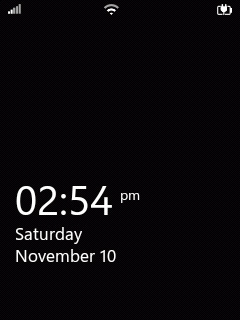
Screenshots:
                   New Experience v6.0   
                     New Experience v6.0
Warning:
Use at your own Risk! we will not be held Responsible for any damage to your device. The instruction provided here is only for informational and educational purpose.

FEATURE:
  • Holo Launcher 1.2.8 as user app for update with Play Store;
  • ICS\JB System Icons of all applications;
  • ICS\JB System Theme (NO APK) framework and SystemUI png 
  • Android 4.2 System Icons;
  • Jelly Bean Statusbar;
  • Text Apparence framework-fix;
  • New Transitions Animations zoom style);
  • Tablet Tweaks (softkey) enabled in a framework;
  • New default font roboto, full ics look;
  • New layout for center clock in a status bar [optional];
  • New ICS lockscreen;
  • New Cyanogenmod 10 (Jelly Bean) Settings.apk;
  • New Cyanogenmod Wallpaper Mix (Jelly Bean, Ics, HoneyComb and other);
  • Gallery 3D replaced with full modded by me QuickPic as user app for pdate with Play Store;
  • New Boot Sound;
  • Boot-sound on\off patch by autoradio78;
  • Camera-sound on\off patch by autoradio78;
  • Video-sound on\off patch by autoradio78;
  • New Experience boot-animation;
  • New tones from JB AOKP arrangement(only useful tones).
  • FULL JELLY BEAN 4.2 Ui ON GALAXY MINI SMART PHONE 

Requirements:
A Samsung Galaxy Mini/Pop running on Android gingerbread 2.3.4 and above and pre-Installed ClockworkMode Recovery on It (* mandatory ).
Rom File:(not mirrored) ROM_GT-S5570_New_Experience_v6.0_FINAL.zip
Size:83.1 MB
English language setting pack: v6.0_FINAL_English_ICS_Settings.zip

Installation Instruction:
Installing New Experience v6.0 Rom
  • Back up your system and charge phones battery full
  • Download Rom form the requirement section of this post and place in root directory of your sd card.
  • You must have ClockworkMode Recovery pre-installed. Reboot your phone in cwm recovery by pressing Home + power button.
  • Now you will have to do all wipe ("wipe data/factory reset", "wipe cache partition" and wipe dalvik cache").
  • After that select "install zip from sd card" and then "choose zip from sd card";
  • Navigate to root directory and select the rom file "ROM_GT-S5570_New_Experience_v6.0_FINAL.zip" and ok Let the process be completed successfully.
  • After process completes Select: "reboot system now";
  • First boot may take long time (up to 10 minutes).
  • Reboot Phone And Enjoy JellyBean On Galaxy Mini/pop
Installing English language setting pack
  • Go in recovery mode;
  • Select "Mount and storage";
  • Select "mount system" and go back using power button;
  • Select "install zip from sd card" and after "choose zip from sd card";
  • Select v6.0_FINAL_English_ICS_Settings.zip and flash;
  • Then select "reboot system now".
Congratulation! you have Successfully learn how to install New Experience v6.0 custom Rom for galaxy mini GT-S5570 with English language. If you notice any bug post on thread page to get fixed by developer.

More packs for this Rom:
Samsung Stock Keyboard
Holo Launcher Preferences
Black-Blu Default Theme
Holo Theme
Applications Pack

To receive latest update from us like our  facebook page Techween
Read More

Tuesday, December 18, 2012

HTC Sense theme V1 for samsung galaxy y works on almost all custom Rom's. So if you are bored with the look of your custom Rom or wamt HTC look on your Samsung galaxy y you can try this theme. This theme is created and shared by member of XDA m.h.mahadi so don't forget to thanks him for his hard work Here we are going to provide an instruction on how to install HTC Sense theme V1 on Samsung galaxy y and archive look and feel of HTC Sense on your galaxy y. But before proceeding to the installation instruction lets have look on few screenshot and features of this theme ( by dev.) running on galaxy y.

Screenshot
      HTC Sense theme V1 for samsung galaxy y     
       HTC Sense theme V1 for samsung galaxy y  HTC Sense theme V1 for samsung galaxy y 
Features:
  • Themed framework-res.apk
  • Themed systemUI.apk
  • Themed lidroid-res.apk
  • Sense launcher.
  • Sense themed calculator.
  • Sense weather clock widget.
  • Sense wallpaper chooser (moded twwalpaper)
  • Sense Ringtone/notifications/UI sounds.
  • Sense boot-animation.
Requirement:
A Rooted Samsung galaxy y ( How to Root an an android phone Samsung galaxy y GT-S5360)
CWM: CWM.zip
HTC Sense theme V1:(not mirrored) sense theme m.h.mahadi@xda.zip

Installation Instruction:

  • First of all backup your data and charge battery 50%
  • Download cwm and theme file and place in Root Directory of SD card.
  • Delete the LIDROID RES.
  • Reboot your phone in Stock Recovery mode by pressing Volume Up+Home Button+Power button together. In Recovery mode touchscreen become function less so use vol up and down to move up and down home for selection and power as back.
  • Now from recovery menu select "Update zip from SDCARD" 
  • Navigate to root directory and Choose the CWM.zip RECOVERY file
  • Then another recovery mode will appear known as CLOCKWORKMOD Recovery.
  • After that select Install zip From SDcard. 
  • Then select Choose Zip From SDCARD naviate to root directory and select the theme File "sense theme m.h.mahadi@xda.zip" then wait for the installation to be completed.
  • After installation completes Reboot your phone.
Congratulation! you have Successfully learn how to install HTC Sense theme V1 on galaxy y. If you notice any bug post on thread page to get fixed by developer.

To receive latest update from us like our  facebook page Techween
Read More

Monday, December 10, 2012

REVOLUTiON Light V3 custom JellyBean Rom for Samsung Galaxy Ace S5830. Hi friends this is an an another version Of REVOLUTiON Light Rom for Samsung Galaxy Ace GT-S5830. This Custom Rom is smooth with Latest version of Google's Android phone operating system Jelly Bean user interface (UI) As it has BatteryExtender Kernel so it increases battery life.This custom Rom is developed by Team REVOLUTiON and shared on XDA by Senior member kranti.ace so dont forget to thanks them for their work. here we are going to provide an installation instruction on how to install this custom ROM on Galaxy Ace S5830. But before proceeding to the installation lets have a look on features and screenshots (by dev.) of this custom Rom.

Screenshots:
                     REVOLUTiON Light V3  
                     REVOLUTiON Light V3 custom JellyBean Rom for Samsung Galaxy Ace S5830  REVOLUTiON Light V3 custom JellyBean Rom for Samsung Galaxy Ace S5830
Features:
  • Fully JB Themed (Thanx to DeadSp1d3r)
  • JB Statusbar
  • JB Home Preview
  • New Ringtones
  • JB Animations
  • JB Bootanimation
  • Added More Transeperancy
  • Note Style Lockscreen
  • Xperia Fonts as default
  • Based on SGSll JB Theme
  • Also Use Stock 2.3.6 XWKT3
  • Extremely Smooth UI Than Ever Before
  • Hack Hosts
  • Swipe To Clear Notification Mod
  • Notification Toggle Mode
  • Additional Build.Prob Tweaks
  • Memory Tweaks
  • OOM Priorities For Higher Multitasking
  • Big Photo While Calling
  • Preloaded GApps
  • Enhancement Tweaks
  • Xperia Launcher is set as Default
  • Better Customization For Launcher
  • Smoothness Increment Tweak (Extreme Level)
  • Advance Signal Tweaks Added
  • Advance Battery Tweaks Added
  • Advance Sound Boost Tweaks
  • Hyper Speed Boost And Stability
  • CRT
  • Fast Net (added tweaks For 2G And 3G)
  • Tweaks For Increase Gaming Performance
  • Video Streaming Tweaks
  • Image Quality Tweaks
  • Better Performance Tweaks For Stability
  • A Last Long Battery Life
  • Battery Jumping Problem FIXED 
  • Task Killer Tweaks
  • Very Less Ram Uses
  • Battery Extender Kernel For Batttery Enhancement
  • Smooth Scroll Tweaks
  • SSLauncher Removed
  • D2EXT Script Removed
  • Also FIXED some Miner Bugs
  • And More..
Bugs:-
  • Recieptants Number and Name Are Fade Color In Massaging. (Minor Bug)
Warning:
Use at your own Risk! This Rom is meant for Samsung Galaxy Ace model GT-S5830 Do not use on other Device. We will not be held responsible for any damage to your device.

Requirement:
A Rooted Samsung galaxy Ace model GT-S5830.
Rom File:(not mirrored) JB-REVOLUTiON.Light.V3.zip
Size: 97.75 MB

Installation Instruction
  • Download the rom file and place it in the root of your phones sdcard.
  • Reboot to recovery mode using combination of 3 button (Home Key+Volume Up Key + Power Key) together.
  • In recovery mode use volume up and down to move up and down, home as selection button and power as back.
  • Wipe Data/Factory Reset,
  • Wipe Cache Partition,
  • Wipe Dalvic Cache
  • Format SD-EXT
  • After that Select install zip from sd and then choose zip from sdcard and select Rom File "JB-REVOLUTiON.Light.V3.zip"and then ok
  • Flashing should begin let the process complete successfully and reboot.
  • Remember first boot may take longer then normal boot some times say 10 minutes in case stuck on boot logo remove battery after turning off enter recovery mode and do Wipe Data and Wipe Cache Partition and reboot again in normal mode 
Congratulation! you have learned how to successfully install REVOLUTiON Light V3 custom JellyBean Rom on Samsung Galaxy Ace S5830. In case you notice bug post on thread page so developer may fix on next update Source .


List of latest Custom Rom's for Samsung Galaxy Ace s5830

To receive latest update from us like our  facebook page Techween
Read More

Saturday, November 10, 2012

Miui clock widget collections for android phones and tablets. Here is a collection of few best and cool analog clock for android phones and tablets. There are total 14 different style clock available within a single apk out of this 4 are large in size appropriate for tablets and high resolution phones and 10 of them are small in size can be used on low resolution device but the choice is yours. The package is shared on XDA by hmahadi98 so thanks him for his work. here are few screenshot of Miui clock widget on Samsung galaxy y s5360.

Screenshots:


Miui clock widget collection Miui clock widget collection

Download:
Clock file: (not mirrored) MiuiAnalogClock.Apk

Instruction:
Just install the apk go to home screen tap for few second and select the widget option and then select Analog clock large or analog clock small and select the clock.
Extra: if you need the launcher used in the screen shot get it from here
Read More

Friday, November 9, 2012

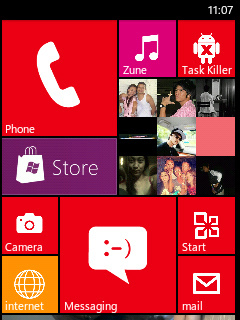
After the Release of WP7-Monochromatic 3.8 the developer of this custom pack deathnotice01 have now Released a new updated version of Monochromatic mod pack known as WP8-Monochromatic 4.0 but it is still in beta stage so it might contain some bugs but if you are interested to see what is new in this updated beta version then you can install it. So before proceeding to installation Instruction lets have look on few screenshot of this S-Rom.

Screenshots


Change log
  • WP8 Launcher and Lockscreen
  • Quickpic as default gallery app
  • WP7contacts as default contact app
  • Improved statustoggle design
Warning:
Use at your own Risk!

Requirement:
A sumsung galaxy y running on DEODEXED STOCK ROM and WP7-Monochromatic 3.8 already installed. Or on v 3.8 (For how to install WP7-Monochromatic v3.8 on galaxy y get details Here.)
Update File:(not mirrored) Monochromatic WP8 4.0 BETA.zip
Update size:19.10 MB

Installation Instructions:
First of all backup your system and charge you phone battery almost full.
Must have already installed WP7-Monochromatic v3.8.

For those using CWM Kernels (Savie's, White's, Merruk's above 1.8)
  • Download Mod pack "Monochromatic-WP8 4.0 BETA.zip" from above and place it in the root directory of your SD Card and turn off your phone 
  • Reboot your phone in recovery mode by pressing volume up + Home + power button together when you enter recovery mode touchscreen will not work so take help of key vol up and down to move up and down home for making selection and power as back. 
  • Now go to MOUNTS AND STORAGE and select MOUNT SYSTEM and select "Monochromatic-WP8 4.0 BETA.zip" file wait until process complete and then reboot. 
That is all.

For those using Non-CWM Kernels (STOCK, Ironbuang, KURO, koneu, REPENCIS, IFRAN, TEMRA KERNELS)
  • Download Mod pack "Monochromatic-WP8 4.0 BETA.zip" and CWM "CWM_bla_bla.zip" from above and place it in the root directory of your SD Card and turn off your phone. 
  • Reboot your phone in recovery mode by pressing volume up + Home + power button together when you enter recovery mode touchscreen will not work so take help of key vol up and down to move up and down home for making selection and power as back. 
  • Now in stock Recovery mode select "apply update from sdcard" navigate to root directory of sdcard and select "cwm_bla_bla.zip" file now your phone will run the CWM, go to "install zip from SD" and choose "choose zip from SDcard" 
  • Then navigate through the folder where you have saved the "Monochromatic-WP8 4.0 BETA.zip" and select it and yes. 
  • Wait for the process to be completed, then reboot system by selecting reboot system now.
That's all you are done. Now enjoy.
Read More

Monday, November 5, 2012

Windows 8 HD Theme v3.2 Android Apk Graphics support added for smooth functions Big HD icon 120×120 ( XHDPI DEVICES & Tablets ONLY )
Windows 8 HD Theme v3.2 Android Apk
Features:
  • Windows 8 HD icons-pack
  • Windows 8 HD Theme
  • Added Full HQ icons
  • Graphics support added for smooth functions
  • Big HD icon 120x120 ( XHDPI DEVICES & Tablets ONLY )
  • Totally Add free from 3.2 version.
Screenshots:


Installation:
  • Make sure Have Updated Latest Go Launcher EX 
  • Click “MENU—->Theme Settings—->to choose the theme
  • Select Windows 8 theme 
  • Long tap icons in home screen to change to hd icons.
Windows 8 HD Theme v3.2 Android Apk : https://play.google.com/store/apps/details?id=com.windowseight.toni
Read More
Related Posts Plugin for WordPress, Blogger...
Google Google+